Location-Based
Reminders
Link a list to a saved location. Get a reminder about unfinished tasks when you arrive.
Location reminders · iOSANGO TASKS. POWERED BY AI.
Turn a photo, your voice, pasted text, or an AI chat into organized to-do lists. Less typing. More doing.
Free to start. For iPhone, iPhone Duo, and web.
“Book a stay, pack a bag,
and plan the trip.”
Before we go, book a stay and pack a bag. We also need to plan the trip.
Make me a to-do list for
a weekend away.
Illustrative example · Review before saving
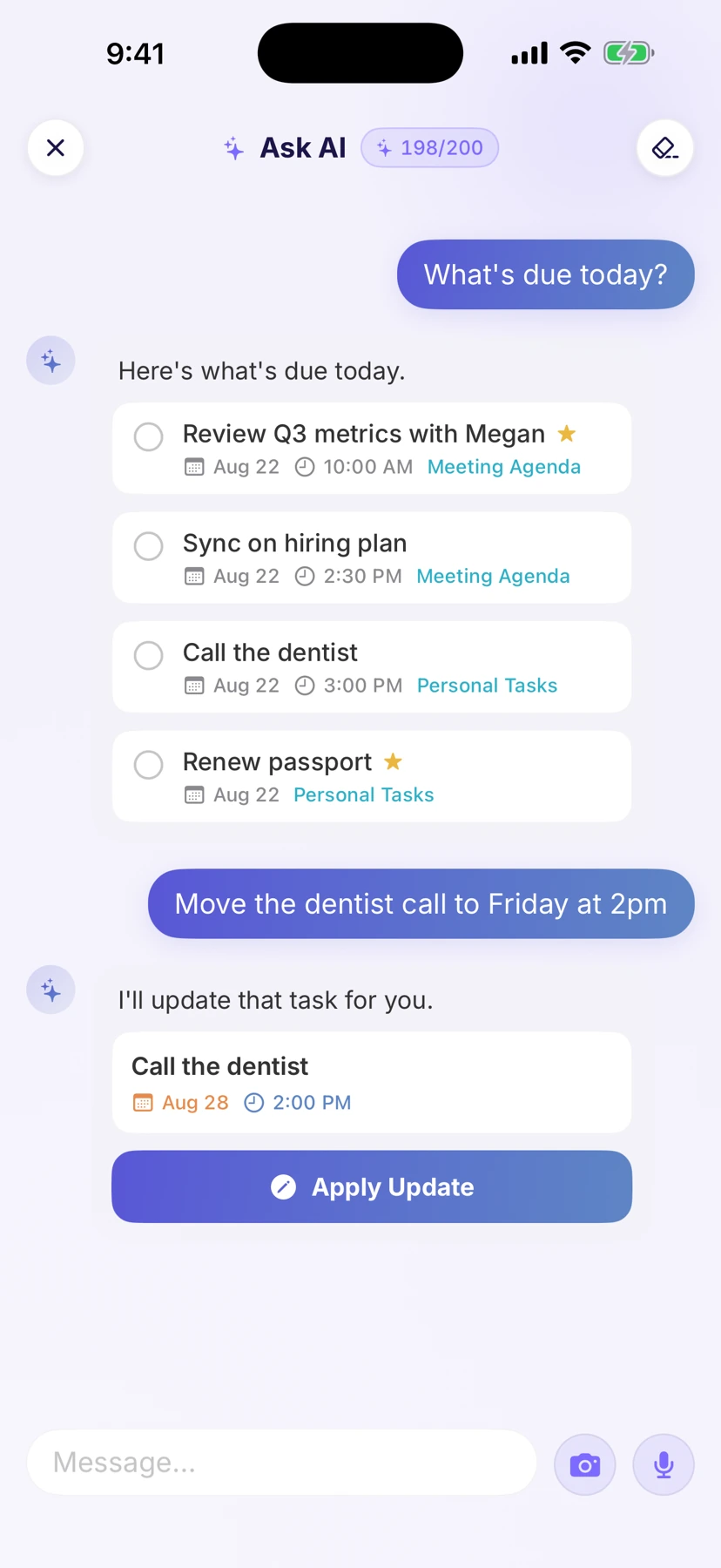
Take a photo. Talk it out. Paste your text. Or chat with AI. Ango turns it into tasks you can review and save.
“Book the flights, renew my passport, and pack a charger.”
Lots to wrap up before launch. We need to finish the website, then check the links. Once that’s done, send the announcement.
Make me a packing list for a weekend away.
✦ Here’s a list to get you ready.
Scroll to explore. Or select a feature.
Photo to List guideSmart Extract finds the tasks in your photo, voice, or text. Ask AI helps you create and refine a list through conversation.
Review the suggestions, make them yours, and save to a new or existing list.
Create your first list All four ways are available on Free.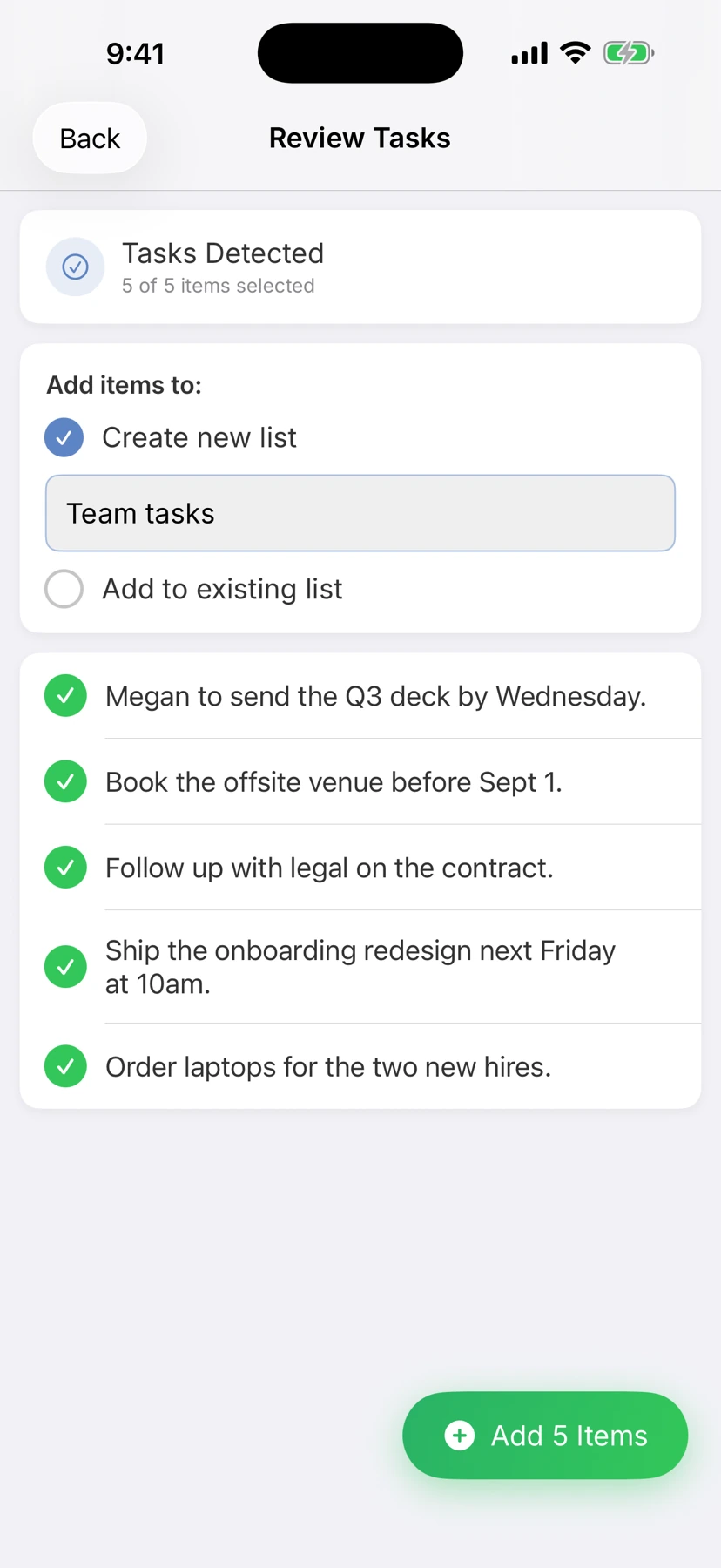
Real screens from the app.
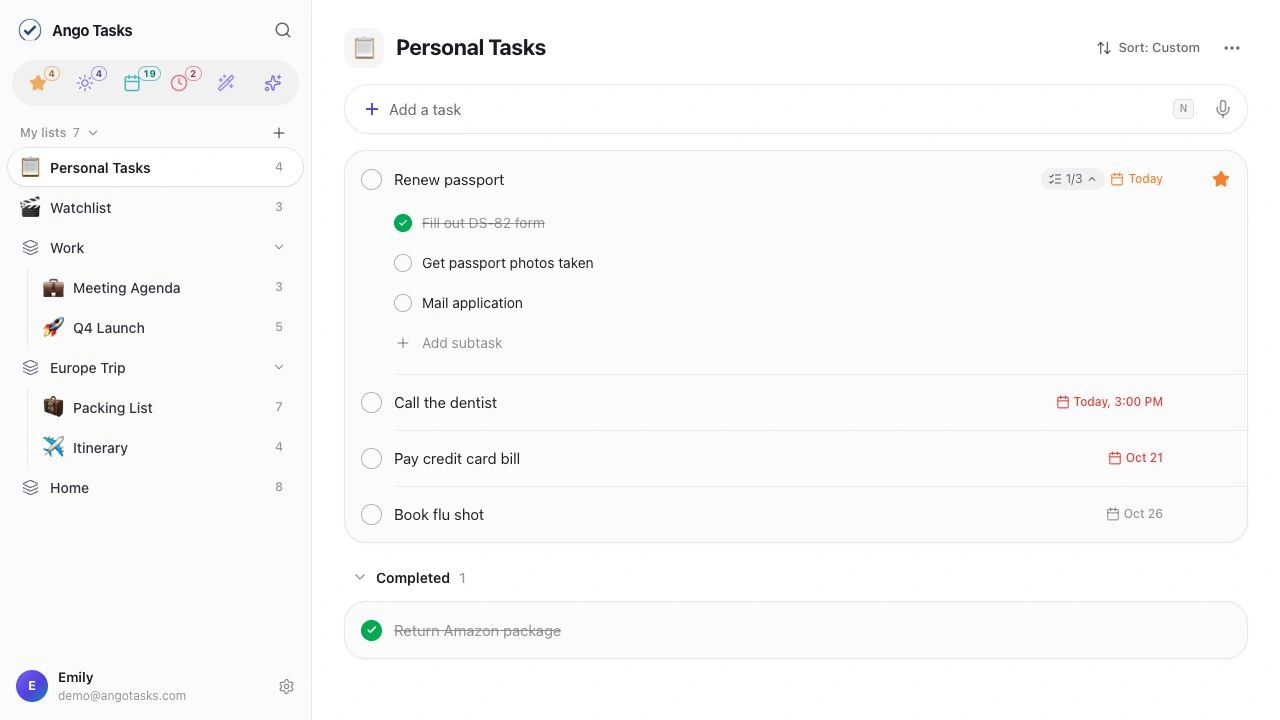
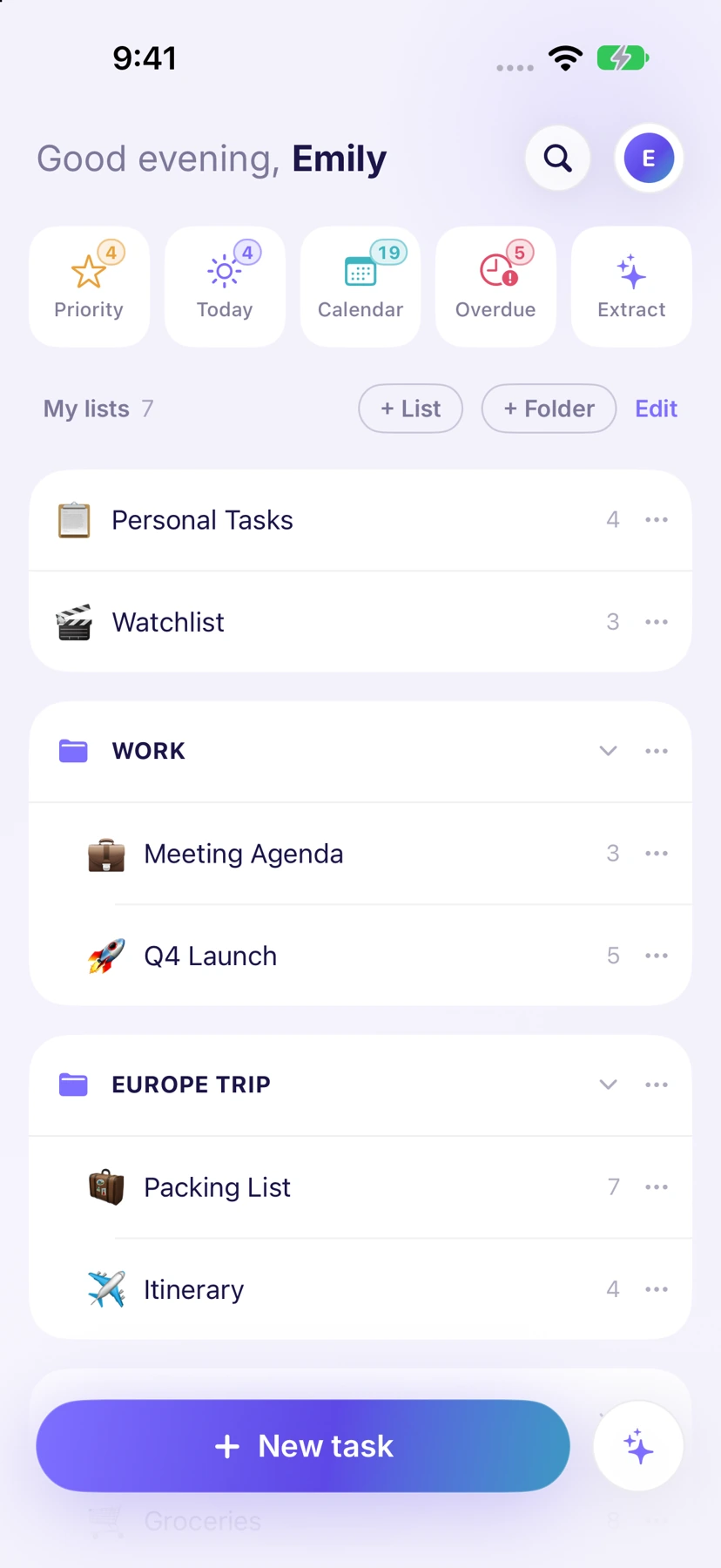
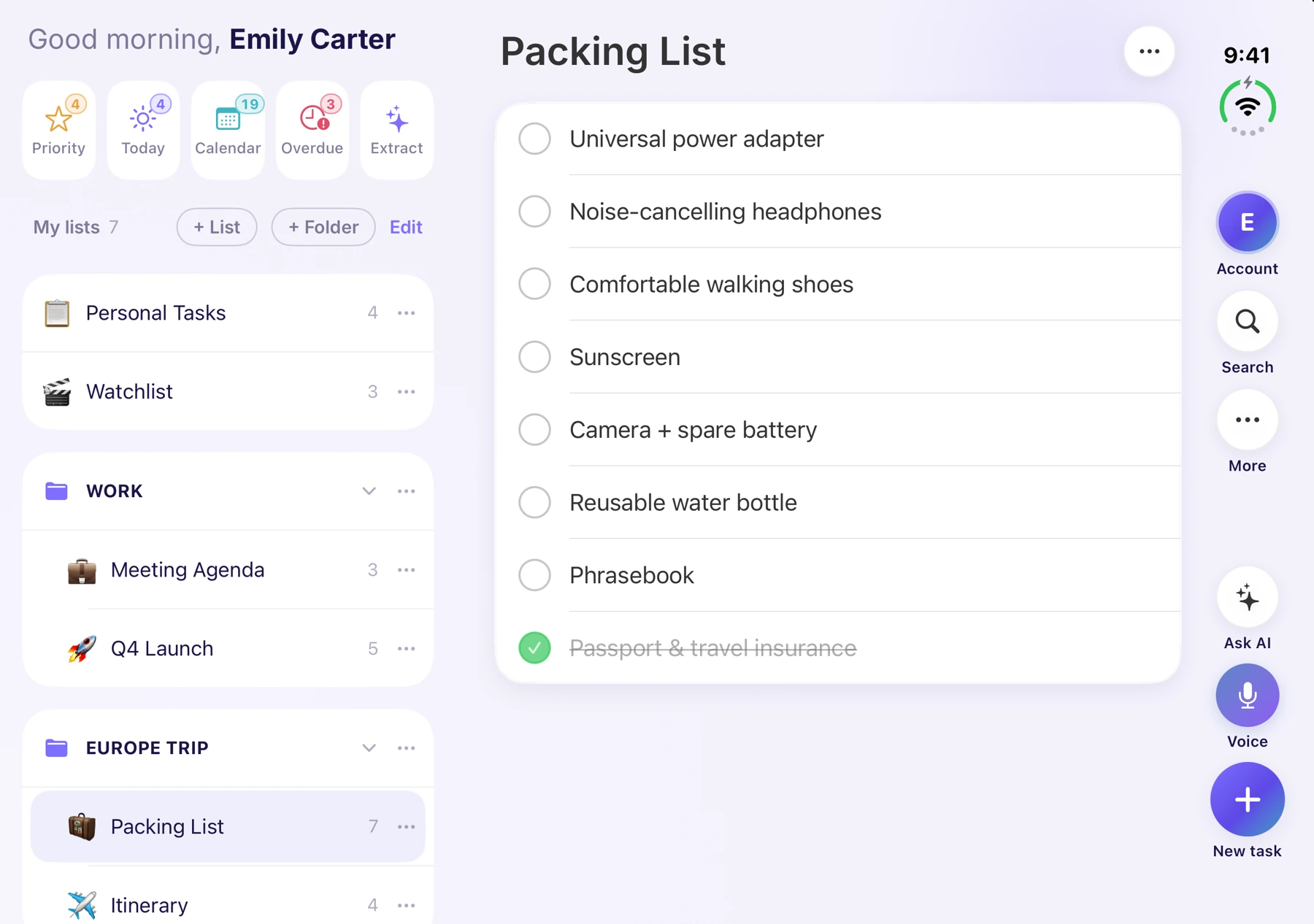
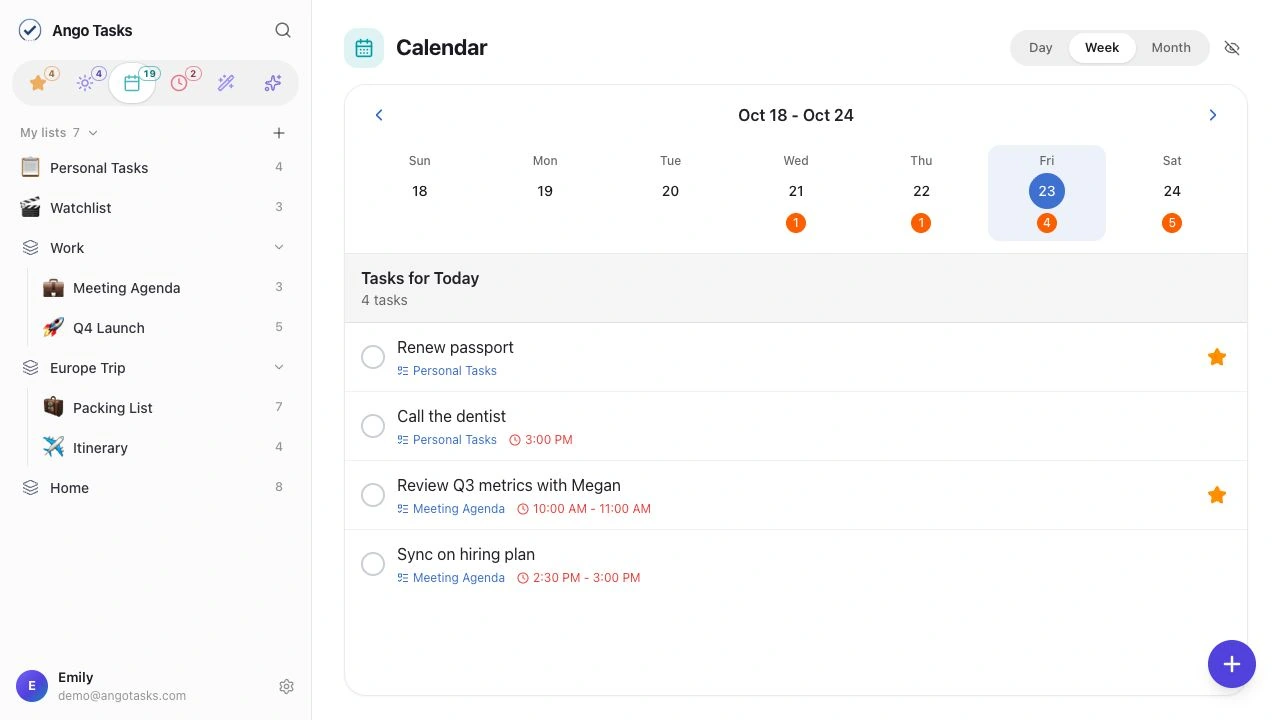
Organize tasks into lists and folders, schedule them in Calendar, or open a full-screen checklist in Focus mode.
Group tasks in lists and folders. Use Today, Priority, and Overdue smart lists to find tasks by due date or importance.
Find tasks with smart lists, tags, and search.
View lists, tasks, and task details side by side. The layout adapts when you fold, unfold, or rotate iPhone Duo.
Create lists with AI, manage tasks, and plan your calendar in a browser. Sign in with the same account to sync with your iPhone.
Link a list to a saved location. Get a reminder about unfinished tasks when you arrive.
Location reminders · iOSInvite family members or teammates to a list. Share tasks and manage access from the list’s sharing settings.
Shared lists · iOS & webConnect ChatGPT or Claude to work with your Ango Tasks. Set up and manage assistant connections in Settings. Requires Premium.
Connect to AI · PremiumToday view, task details, iPhone Duo, and dark mode.
Real app screenshots with fictional demo content. Some features and layouts vary by platform and version.
Explore iPhone and iPhone Duo features, or read our guide to choosing a task app.
Free: 6 lists and 20 AI requests per day.
Premium: 500 lists
and 200 AI requests per day.

Download for iPhone and iPhone Duo, or use the web app.
Free includes 6 lists and 20 AI requests per day.